Up to date on every phone
Diagnosis and fixes for widgets going stale and events not showing on phones like Xiaomi, Huawei and Oppo.
Built by people who needed it themselves. Your month on the home screen, an alarm before every meeting at the minute you choose, up to date on every phone.
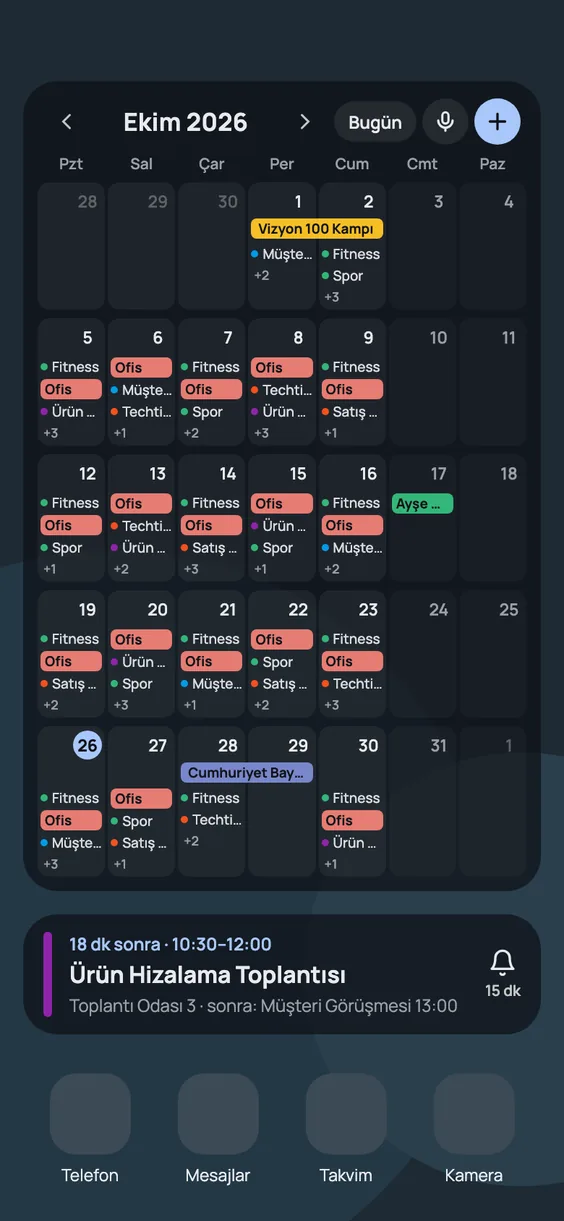
We tried the calendar widgets out there. The good-looking ones missed events on Chinese phones, could not set alarms, or did not see some of our accounts.
Diagnosis and fixes for widgets going stale and events not showing on phones like Xiaomi, Huawei and Oppo.
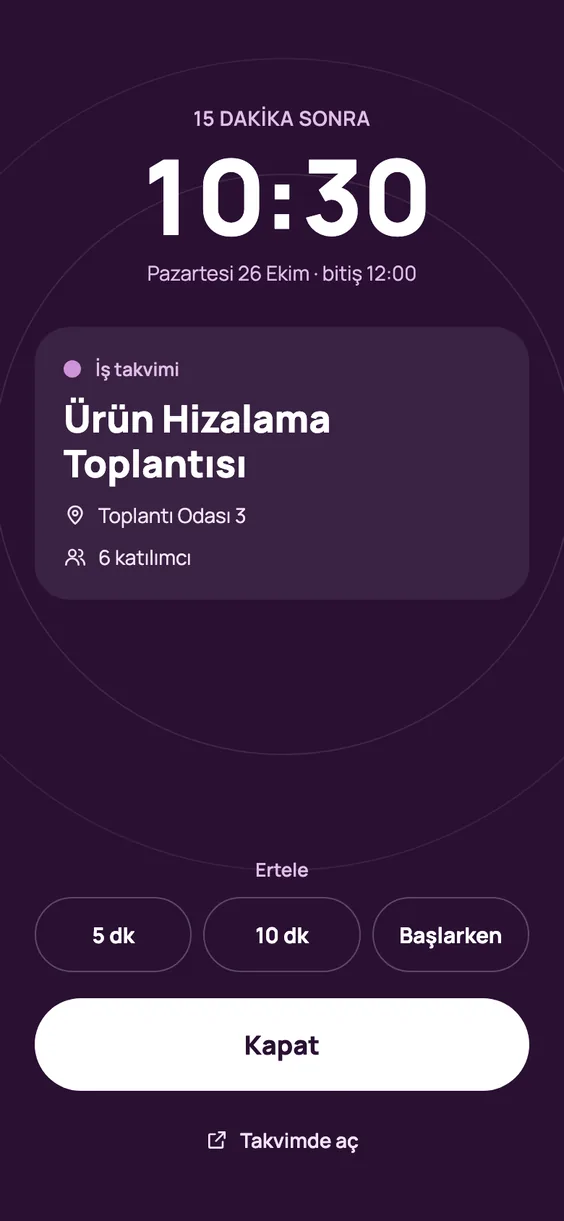
Choose how many minutes before each event or calendar you want to be alerted. Notification or full-screen alarm.
A short summary of your day, adding events by voice, travel time to your meeting, and smart wake-up for workout days.
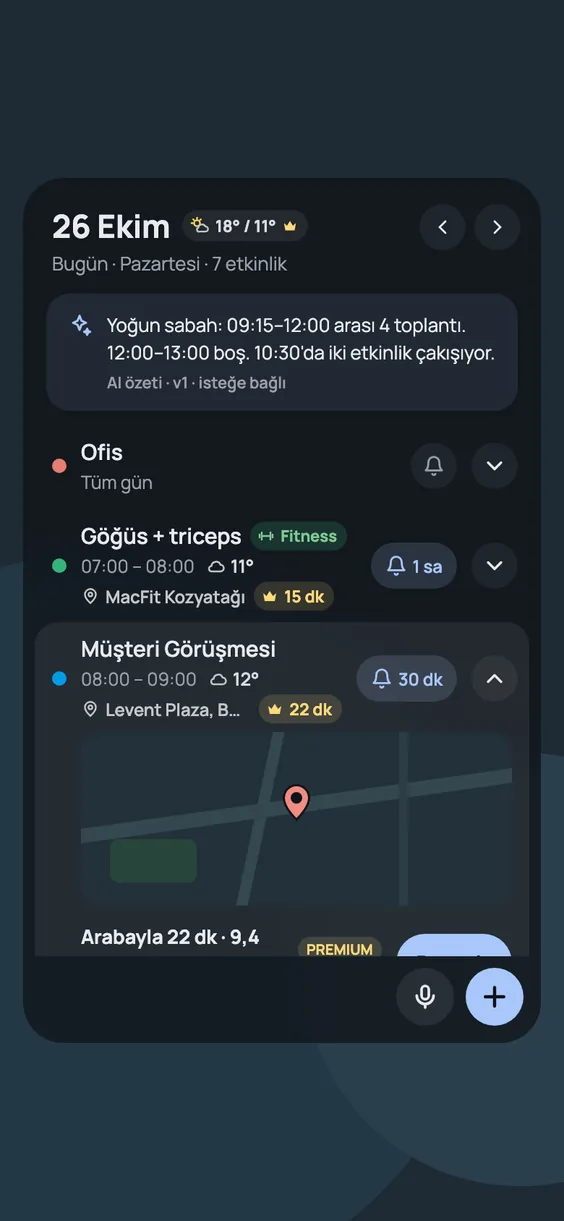
Events, weather, travel time to your meeting and attendees in one window. Tap an event and Google Calendar opens — no new calendar app to get used to.
At start, 5, 10, 15 or 30 minutes, 1 hour, or your own time. Notification or full-screen alarm. Can ring in silent mode, snooze with one tap.
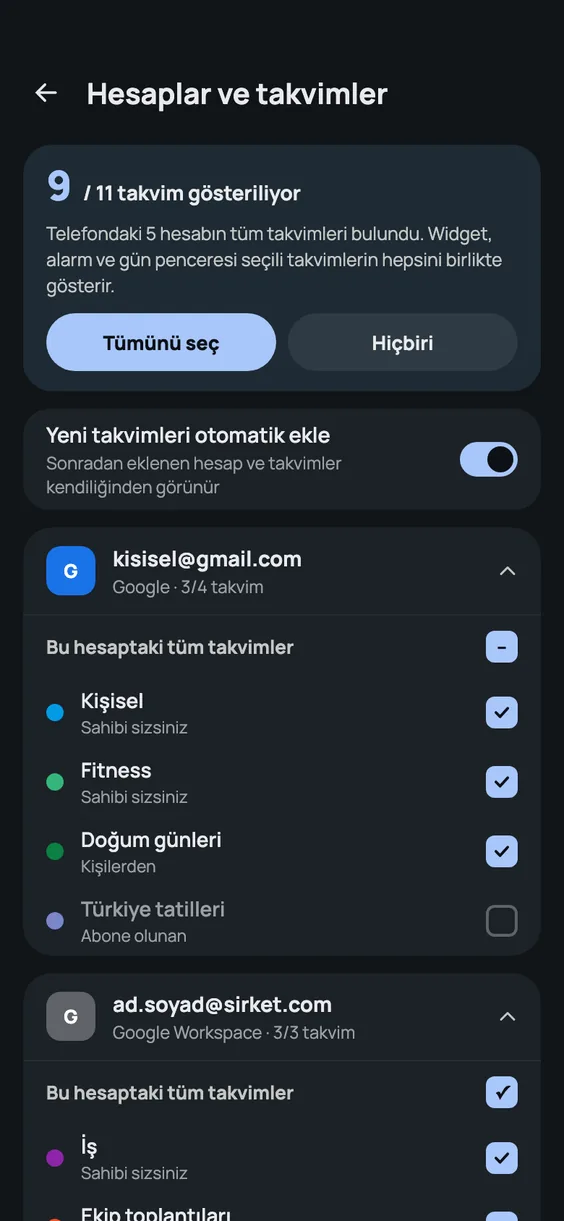
Every calendar of every account on your phone is listed: multiple Google accounts, Outlook, Samsung, local calendars. New accounts show up on their own. If an account has sync turned off, the app tells you.
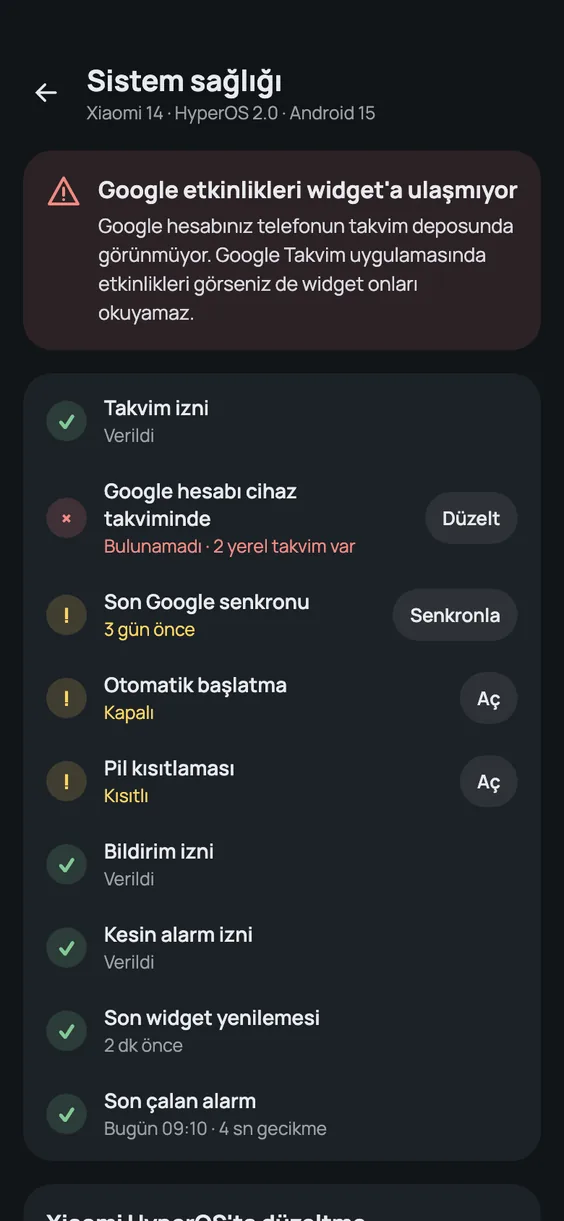
Phones with Chinese ROMs kill apps in the background: the widget goes stale and alarms ring late. The System health screen shows what is missing and fixes it step by step for your phone brand.
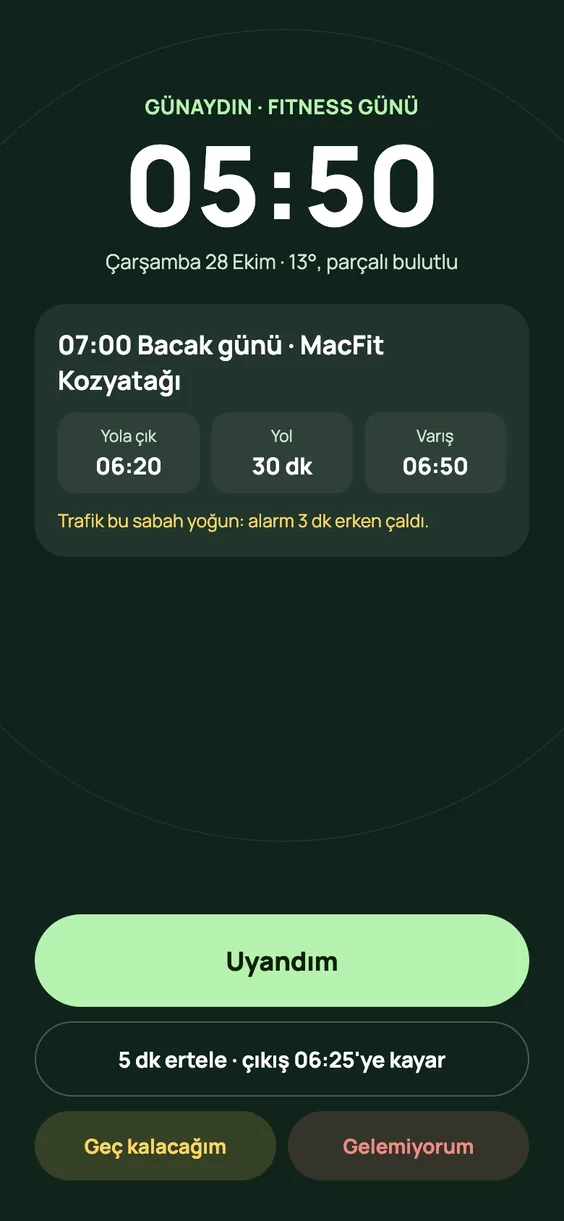
Enter your workout days and times, the gym’s opening hours and how early you want to be there. The app works back from the travel time to when you should wake up and leave.
On days you cannot make it, a ready-made message to your coach opens in WhatsApp, SMS or Telegram; you press send. Your workout plan comes ready-made, and every exercise opens with an illustrated guide.
Every widget size from 2×2 to 4×4. Month, agenda, week and combined views. 9 ready-made themes and adjustable transparency.
Widgets, all calendars, alarms and phone fixes come with a one-time purchase. Premium adds features that plan your day for you, as an optional subscription.
Premium is an in-app subscription through Google Play. The first 7 days are free; cancel before the trial ends and you are not charged, or cancel anytime after. Prices are in US dollars; Google Play shows them in your local currency.
Better Widget never changes your existing events. Editing always happens in your own calendar app.
Read the full privacy policy →Yes. It reads every calendar on your phone: Samsung, Xiaomi, Outlook or a calendar kept only on the phone. In Settings you choose which app opens when you tap an event.
These phones may kill apps in the background. The System health screen shows which setting is in the way and fixes it step by step for your brand. On Huawei phones where a Google account cannot be added, you can connect to Google directly.
Yes. On Huawei and Honor phones where a Google account cannot be added to the phone, you connect your Google account to the app directly; events come from Google to your phone with read-only access and appear in the widget. You can connect several Google accounts. The app is installed from Google Play.
No. It never changes or deletes your existing events; editing always opens in your own calendar app. The only things written to your calendar are new events you start yourself, such as a meeting you add with the assistant.
Yes. Every calendar of every account on the phone is listed and can be picked one by one. Accounts you add later show up on their own.
Better Widget is a one-time purchase of $9.99 on Google Play. Widgets, all calendars, alarms and phone fixes are included, with no subscription. Premium is optional, with the first 7 days free: travel time, the assistant, weather, smart wake-up, the AI day summary, fitness mode, cycle tracking and health apps for $1.99 a month or $19.90 a year.
Premium is a Google Play subscription. Cancel anytime in Google Play › Payments & subscriptions › Subscriptions; Premium stays on until the end of the period. On a new phone, sign in with the same Google account and tap “Restore purchases”.
Android 8 and later. Buy once, ready in three steps.
Get it on Google Play